Popular Keywords
Recent Searches

Welcome
How to view the SMART Attributes of your solid-state drive (SSD), including how to export them, using:
Pull SMART with NVMe* CLI.
| NOTE | While SMART is a standard across all SSDs, Solidigm Tools are only expected to work with Solidigm SSDs. |
|---|
The Solidigm Synergy™ Toolkit focus is on Solidigm Client NVMe* SSDs.
| 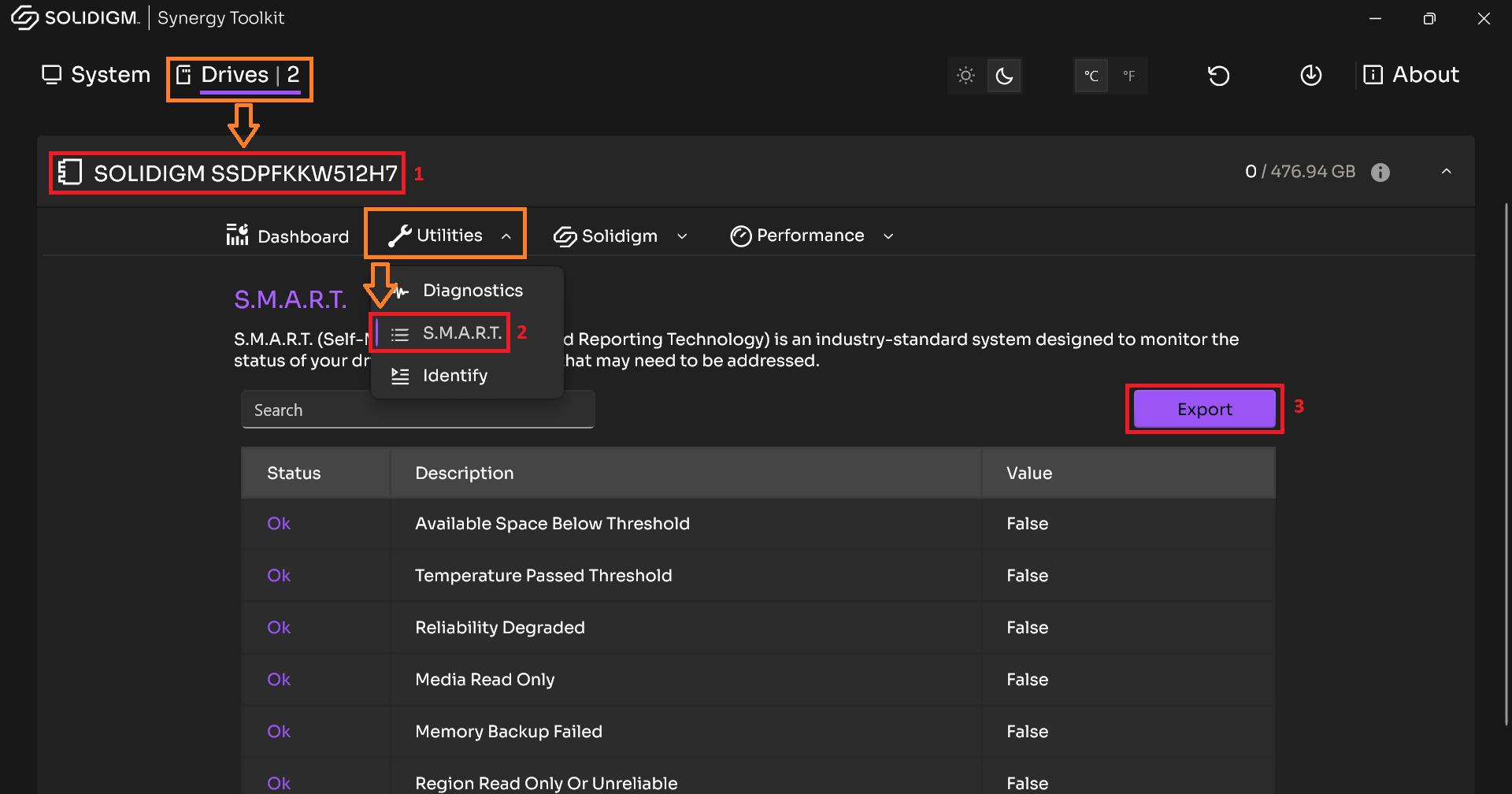 |
The Solidigm Storage Tool™ is focused on Solidigm™ Data Center SSDs, but contains support for legacy Client SSDs (see Latest Firmware tables)
| 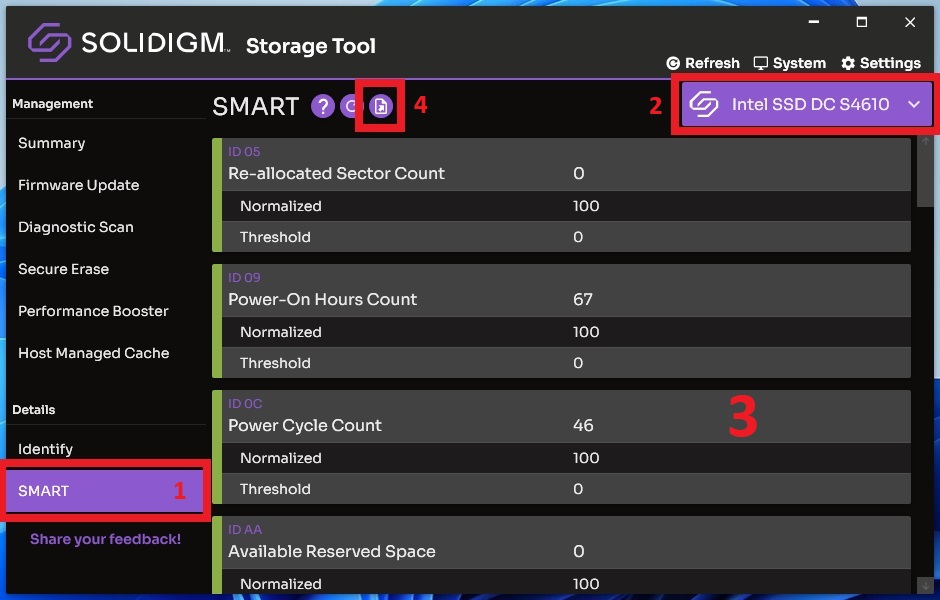 |
To save the output to a file, add Add '> filename.txt' to the end of a command.
| 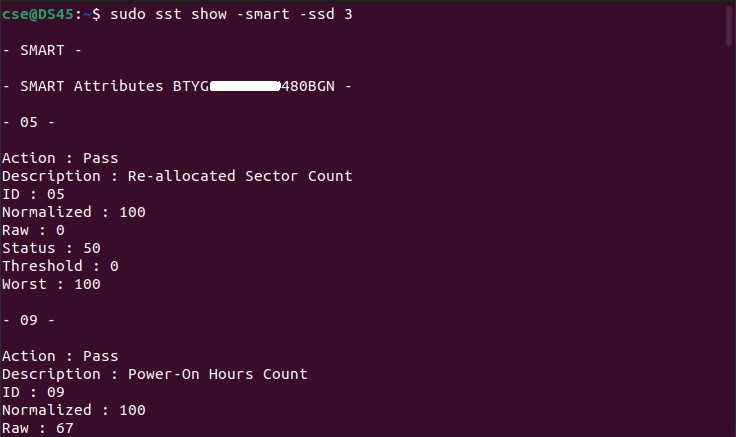 |
Questions? Check out our Community Forum for help.
Issues? Contact Solidigm Customer Support:
[Chinese] [English] [German] [Japanese] [Korean]
Success!
Subscribe for product updates, technical resources, and insights on accelerating AI workloads with Solidigm Storage